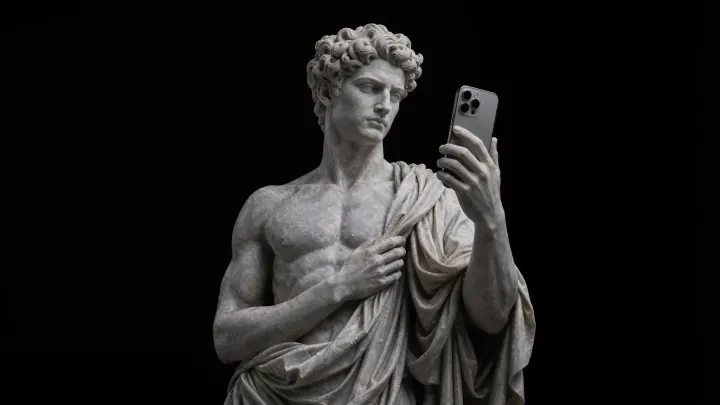
You copied it two
hours ago. Still here.

Koppy is the native macOS clipboard history that lives in the notch. Text, code, links, images, screenshots, files and colors — all searchable, including the text inside your screenshots. Free, no cloud, no account.

Free forever · No account · No telemetry · 1.8 MB

V
paste delete esc close 1,248 clips · 0 in the cloud
The problem

Copying is easy.
Getting it back is not.

You copy dozens of things a day and macOS remembers exactly one. The rest is gone: the token, the address, the snippet of code, the screenshot with the number you needed. So you go find it again.

  • The system clipboard holds one item.
  • Screenshots are images — their text can't be searched.
  • Cloud managers want an account, sync and your trust.

↓ scroll over the block

What's inside

A clipboard that understands
what you give it.

Native OCR

Search the text inside your screenshots

Every image and screenshot runs through Vision as it is saved. Type “invoice” and up comes the screenshot where that word appeared, even though it was never text. Right-click and you can copy the recognized text too.

Invoice 2026-014 Total $1,240 Due Mar 14
invoice → 3 results
Notch panel

It shows up where you already look

Move the pointer to the notch and the panel unfolds without stealing focus from the app behind it. Move away and it tucks back in. V opens it with the keyboard.

Snippets

Type ;sig, get the whole thing

Text shortcuts in any app: type your abbreviation and Koppy swaps it for the full block. Emails, replies, commands, boilerplate.

;iban ES91 2100 0418 4502 0005 1332
Images

Edit without opening anything

Resize to 75/50/25 %, convert between PNG, JPEG and TIFF, or cut the background out with Vision. All from the card's context menu.

Organization

Spaces, boards and reminders

Group clips into your own collections and view them as a list, as cards or as a kanban board. Pin favorites, set a reminder on a clip, and let old ones auto-delete whenever you say.

Work
Design
Client
Privacy

It never leaves your Mac

No server, no account, no telemetry. It ignores whatever 1Password and friends mark as sensitive, and you can block entire apps by bundle ID.

1Password ignored Banking ignored Xcode saving

Plus: a color eyedropper built on NSColorSampler, quick notes, bulk copy, sequential paste, direct access to your last 10 clips, @app and @type search filters, drag and drop into any app, and launch at login.

Hands stay on the keyboard

Six shortcuts and you are
faster than yesterday.

V
Open the panelWith keyboard focus, ready to search.
0–9
Paste clip NYour last ten, without opening anything.
Sequential pasteWalk down the stack; walks back.
N
Quick noteA floating editor that saves as a clip.
C
Bulk copyBatch several copies, paste them together.
;abc
Inline snippetText replacement in any app.
Everything, not just text

A screenshot is a clip.
So is the art you saved.

drag the wall ←→

No hand-waving

Against what you already know.

 KoppySupasteMaccymacOS
Multi-format historyYesYesText and image1 item
OCR and search inside imagesYesYesNoNo
Panel anchored to the notchYesShelfMenu barNo
Text-expander snippetsYesYesNoNo
Image editing and background removalYesPartialNoNo
100% local, no accountYesYesYesYes
Windows versionIn the worksNoNo
PriceFree$29 one-timeFree

Based on each app's publicly documented features as of August 2026. If something changes, we fix it.

0
accounts. No sign-up, no email, no cloud to trust.
100%
local. Every clip stays on your Mac, encrypted at rest.
1.8MB
on disk. Native Swift, no Electron, no background hog.
6
shortcuts. Search, paste, stack and snippet without the mouse.
Price

It costs nothing.
No catch.

There is no pro tier, no features behind a lock, no trial that expires. You download Koppy and you have all of it.

$0 forever
  • No accountNo sign-up, no email, no license to activate.
  • No subscriptionNothing to cancel. Nothing to renew.
  • No telemetryNot a single event leaves. There is no server.
  • No limitsEvery clip, every feature, every Mac you own.

1.8 MB · macOS 14 Sonoma or later · Universal (Apple Silicon and Intel)

So how does this pay for itself?

It doesn't, for now. Koppy started as a problem of my own and it runs entirely on your Mac: there are no servers to pay for and no data to sell. If something ever costs money it will be a version for teams — what you download today stays free. If it helps you, tell someone about it.

Fair questions

Frequently asked

1 / 1
Ready when you are

Stop copying things twice.

It is tiny, it starts with your Mac and it uploads nothing anywhere. Five minutes and you will not go back.

1.8 MB · macOS 14 Sonoma or later · Universal